Gemini at Work 2026: TL;DR
On October 8, Google Cloud CEO Thomas Kurian opened Gemini at Work 2026 by introducing the Gemini agent. It’s one agent that answers questions, runs multi-step work, creates content, and writes code, all from a single prompt box. Google also announced that its business AI products now sit under one name: Gemini.
The timing reflects how far adoption has already moved. Google says nearly 80% of Google Cloud customers now use its AI products. As a Google Cloud Premier Partner, we’ve pulled out the updates that matter most for your business, and what to do about them.
The key announcements
One agent for chat, tasks, and code
You give Gemini an objective, not step-by-step instructions. It plans the work, picks the tools it needs, and comes back with something finished. Because it runs in the cloud, long tasks keep going after you close your laptop, and it keeps the same memory across web, mobile, desktop, and the command line. It also connects to Microsoft 365, Slack, Salesforce, ServiceNow, and any MCP server.
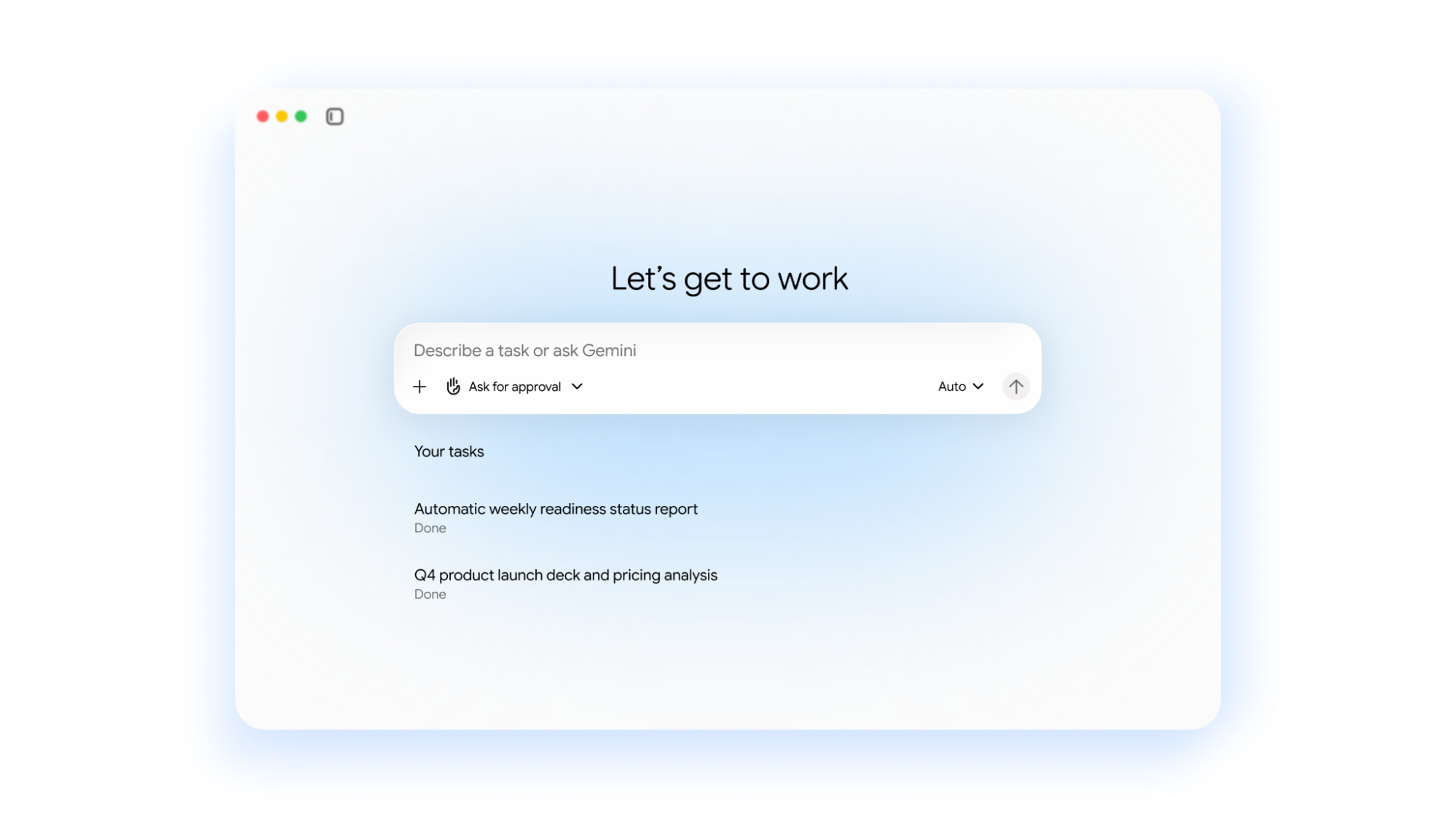
One brand: Gemini
The Gemini Enterprise app, Gemini Enterprise Agent Platform, and Spark are now simply Gemini. Commercial editions keep their names: Gemini Enterprise Business, Standard, and Plus.
Gemini inside Google Workspace
Gemini now works inline in Gmail, Docs, Sheets, Slides, Drive, Chat, and Calendar. Ask it to book time with your usual project team and it works out who they are, checks calendars, and starts the thread. It also flags emails it can handle for you, like a request for a status deck.
Teams can now create coworker agents with their own Workspace account, email, and calendar. Colleagues @mention them in Chat or Docs like anyone else, and they only see what you share with them.
Model choice with hard cost controls
Gemini runs each job on the best-fit model, across Google’s Gemini models and Anthropic’s Claude today. Smart Routing sends routine steps to cheaper models. Real-time spend caps in the Cloud Billing Console pause a project’s agent when it hits its limit, and per-project tracking lets you charge AI spend back to departments.
Security and governance by default
Every agent gets its own identity, least-privilege permissions, and an audit trail. Agents run in an isolated sandbox, and all traffic passes through Agent Gateway, which applies the policies you write once to every agent in the company.
Data and industry skills
Business users can request operational reports in plain language, grounded in BigQuery and the Knowledge Catalog. Saved reports rerun without token costs. Gemini for financial services and Gemini for legal are in preview, with government, healthcare, and retail coming soon.
What this means for your organization
AI at work is moving from drafting help to delegated, finished work. That makes three things matter more than which features you turn on:
- Data readiness. Gemini inherits your existing permissions, so oversharing in Drive becomes an AI problem too. Clean sharing and well-defined data come first.
- Governance. Agents now act under their own identities. Decide who can create them and what they can touch before teams start building.
- Budget. Agent workloads grow fast. Set spend caps and routing per project from day one, not after the first surprise invoice.
How Premier Cloud helps you put Gemini to work
As a Google Cloud Premier Partner, we help teams take Gemini from trial to production. We can help you:
- Find the workflows where Gemini pays off first
- Tighten Workspace sharing and identity before agents inherit them
- Connect Gemini to your systems of record and ground it in your company data
- Set up governance, model routing, and spend caps that fit your budget
- Train your teams to hand off multi-step work, not just write prompts
Want to see what Gemini could take off your team’s plate? Book a Gemini strategy session with our team.