The landscape of software development is rapidly shifting from manually writing code to orchestrating agentic systems that autonomously build, test, and deploy software. To navigate this shift, organizations need more than just AI-assisted coding tools; they need a governed, scalable platform. Enter Google Antigravity, an agent-first platform designed to power the next era of development and automation.
This guide explores the value of Google Antigravity and how technical and non-technical decision-makers can leverage it within their enterprises.
The Value of Google Antigravity
For business leaders and enterprise architects, scaling AI presents challenges in security, cost predictability, and governance. Google Antigravity solves these bottlenecks by offering an end-to-end platform with several core benefits:
- Unmatched Efficiency and Lower Costs: Antigravity is co-optimized for the Gemini 3 family of models, notably Gemini 3.5 Flash. This optimization allows the Antigravity agent harness to deliver results faster and with a much lower compute footprint, operating at one-third the cost of earlier models. Because it is highly token-efficient, teams can execute longer, complex workflows before hitting rate limits.
- Enterprise-Grade Security and Data Privacy: When used via the Gemini Enterprise Agent Platform, Antigravity usage is governed by standard Google Cloud Terms of Service. This ensures your proprietary data remains within your secure cloud boundary and under your control, with no risk of Google training on your private customer data.
- Predictable Cost Controls: Administrators maintain strict oversight. The platform allows admins to set project-level cost limits and budget alerts, ensuring AI initiatives scale without spiraling costs. You can also choose between standard Pay-As-You-Go models or Provisioned Throughput for critical traffic needing assured capacity.
- Real-World Acceleration: Companies like PwC and Monks report that Antigravity fundamentally shifts their teams from simple code completion to high-level orchestration, eliminating traditional development friction and accelerating the delivery of custom client solutions.
How Should You Use It?
Google Antigravity meets developers where they are by providing two primary, seamlessly connected interfaces:
1. Antigravity 2.0 (The Visual Orchestrator) This standalone desktop application is a dedicated mission control for builders and non-traditional developers.
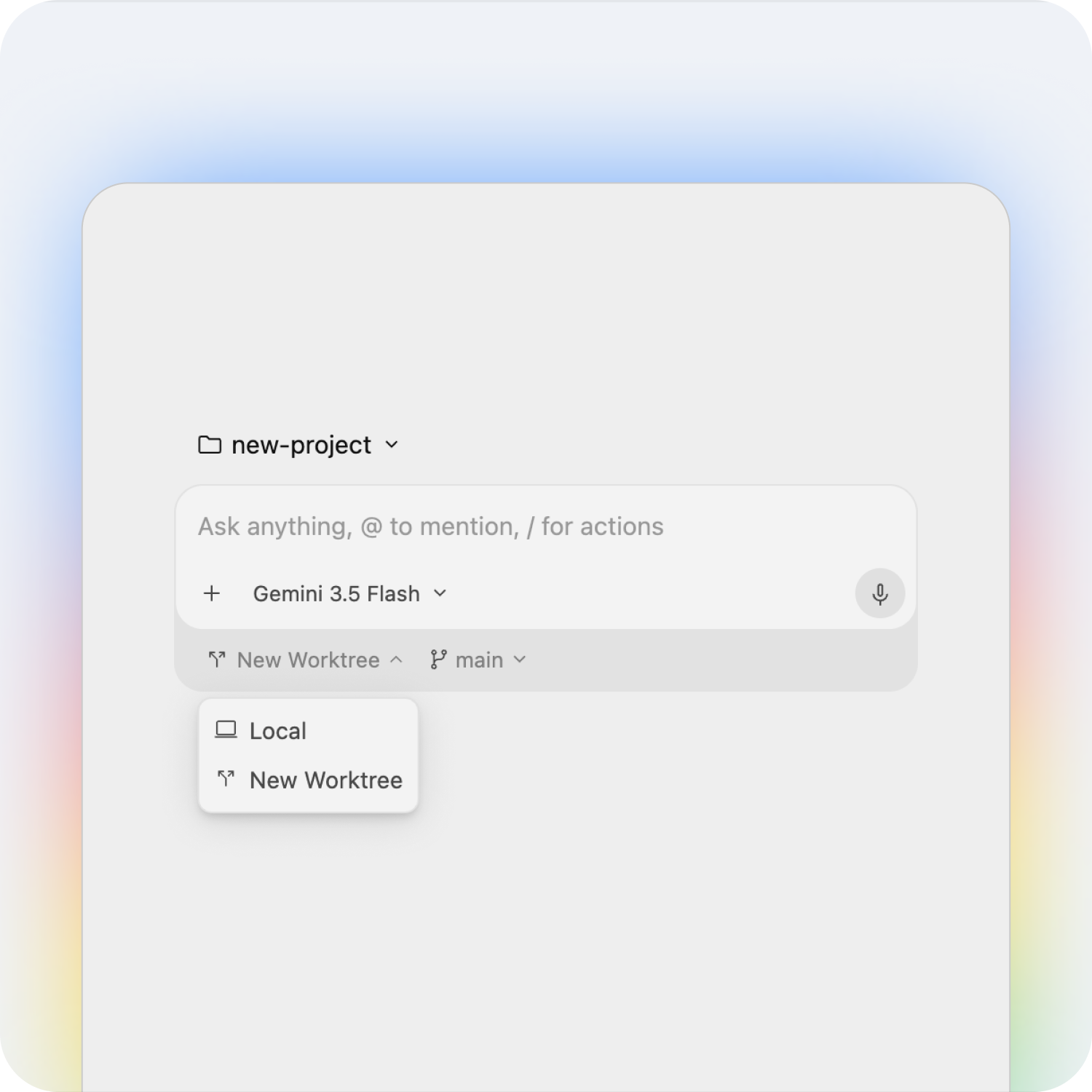
- Subagents: You can delegate complex workflows to focused subagents that work in parallel on specialized tasks.
- Scheduled Tasks: Put agents on autopilot using cron schedules to execute routine tasks in the background.
- Voice Commands: Describe what you need in plain language, powered by Gemini’s advanced audio understanding.
2. Antigravity CLI (The Terminal Experience): For engineers who prefer the command line, the CLI brings the same powerful agent harness directly to their terminal.
- High Velocity: It is optimized for maximum speed and lower overhead, allowing rapid building and testing of workflows.
- Custom Slash Commands: You can define custom skills in your workspace that automatically register as native slash commands, turning team playbooks into executable actions.
3. Antigravity IDE (The Fully Featured Environment) The Antigravity IDE is a fully featured, agentic development environment complete with an agent manager, custom artifacts, and a deep understanding of your codebase. It allows everyday engineers to instantly refactor legacy code and generate corresponding unit tests directly where they work.
- Note: The IDE currently operates under the consumer Antigravity Terms of Service and is not yet supported via Google Cloud Terms of Service. Future IDE extensions and enterprise support will be made available via the Gemini Enterprise Agent Platform.
4. Antigravity SDK (The Custom Agent Engine) The SDK provides programmatic access to the Antigravity harness, allowing developers to prototype custom agents with minimal code. Using simple Python scripts, you can define custom agent behaviors, run evaluations, and host applications on your own infrastructure.
- Note: The SDK is initially targeted at researchers and is not currently available via the Gemini Enterprise Agent Platform.
Empowering Every Role: Different parts of your engineering organization will use Antigravity to solve unique problems:
- The Platform Engineer can use the CLI and Agent Registry to securely wrap internal scripts into governed agents, applying strict guardrails before they are discovered by the wider team.
- The Agent Developer can build custom agents to autonomously handle complex multi-step pull request reviews, verifying links and suggesting code revisions.
Real-World Enterprise Use Cases
Google Antigravity is built to support distinct workflows across the entire engineering organization:
- The Everyday Engineer can leverage Antigravity to instantly refactor legacy code and generate comprehensive unit tests right alongside their daily work.
- The Agent Developer can construct custom agents to automate complex multi-step pull request reviews, reading code changes and suggesting revisions autonomously.
- The Platform Engineer can securely wrap internal scripts into governed agents, ensuring strict guardrails are applied before they are discovered and used by the broader team.
Global enterprises are already proving the value. Leaders from companies like PwC and Monks report that Antigravity has fundamentally shifted their teams from simple code completion to high-level orchestration, allowing them to run continuous engineering pipelines in the background, eliminate development friction, and deliver custom solutions at unprecedented speeds.
- The Everyday Engineer: can leverage Antigravity to instantly refactor legacy code and generate comprehensive unit tests right alongside their daily work.
- The Agent Developer: can construct custom agents to automate complex multi-step pull request reviews, reading code changes and suggesting revisions autonomously.
- The Platform Engineer: can securely wrap internal scripts into governed agents, ensuring strict guardrails are applied before they are discovered and used by the broader team.
Global enterprises are already proving the value. Leaders from companies like PwC and Monks report that Antigravity has fundamentally shifted their teams from simple code completion to high-level orchestration, allowing them to run continuous engineering pipelines in the background, eliminate development friction, and deliver custom solutions at unprecedented speeds.
Step-by-Step Guide to Getting Started
Adopting Google Antigravity is designed to be a quick and frictionless process for Cloud customers.
For Google Cloud Admins:
- Activate the
aiplatform.googleapis.comAPI within your Google Cloud project. - Assign the necessary IAM roles to developers—specifically, the Agent Platform User role is required to access the system.
- Establish observability and set project-level budget alerts to maintain control over expenditures.
For Enterprise Developers and Users:
- Download Google Antigravity and log in to the desktop application or CLI using your standard Cloud Identity OAuth credentials.
- Accept the Google Cloud Terms of Service and specify your Google Cloud project ID and location.
- Start running tasks. Your context, settings, and conversation history will seamlessly follow you whether you are orchestrating visually in Antigravity 2.0 or executing commands in the CLI.