Google Cloud

Chrome Enterprise & ChromeOS Services

Secure the browser, modernize your devices and keep your legacy apps, with a Google Cloud Premier Partner that plans, deploys and manages it with you.
Why browser-first

Your people already work in the browser. Secure it and simplify everything around it.

Most work now runs in SaaS apps and AI tools, on managed and unmanaged devices. Google’s Chrome and ChromeOS stack gives IT one place to protect data, control access and manage devices, with far less to maintain.

63%fewer help-desk tickets with managed ChromeOS devices over three yearsForrester TEI of ChromeOS, 2025
600+ policiesfor devices, users and apps, all set from the Google Admin consoleGoogle ChromeOS
10yearsof automatic security and feature updates for ChromeOS devicesGoogle ChromeOS
0attacksreported successful ransomware or virus attacks on ChromeOS to dateGoogle ChromeOS, 2026
What we deploy

One Google stack for the browser, the device and the apps.

Secure enterprise browsing

Chrome Enterprise

Work happens in the browser, so that’s where we put your controls. We manage and secure Chrome on Windows, macOS, Linux and ChromeOS, with no extra agents to install.

Chrome Enterprise Core
  • Central browser policies and updates
  • Extension control and reporting
  • Managed profiles for BYOD
Chrome Enterprise Premium
  • Data loss prevention in the browser
  • Context-aware access to apps
  • Real-time phishing and malware scanning
  • Shadow AI visibility and controls

What we doWe audit your current browser setup, move group policies to the cloud and roll out data protection and access rules in stages, with reporting your security team can act on.
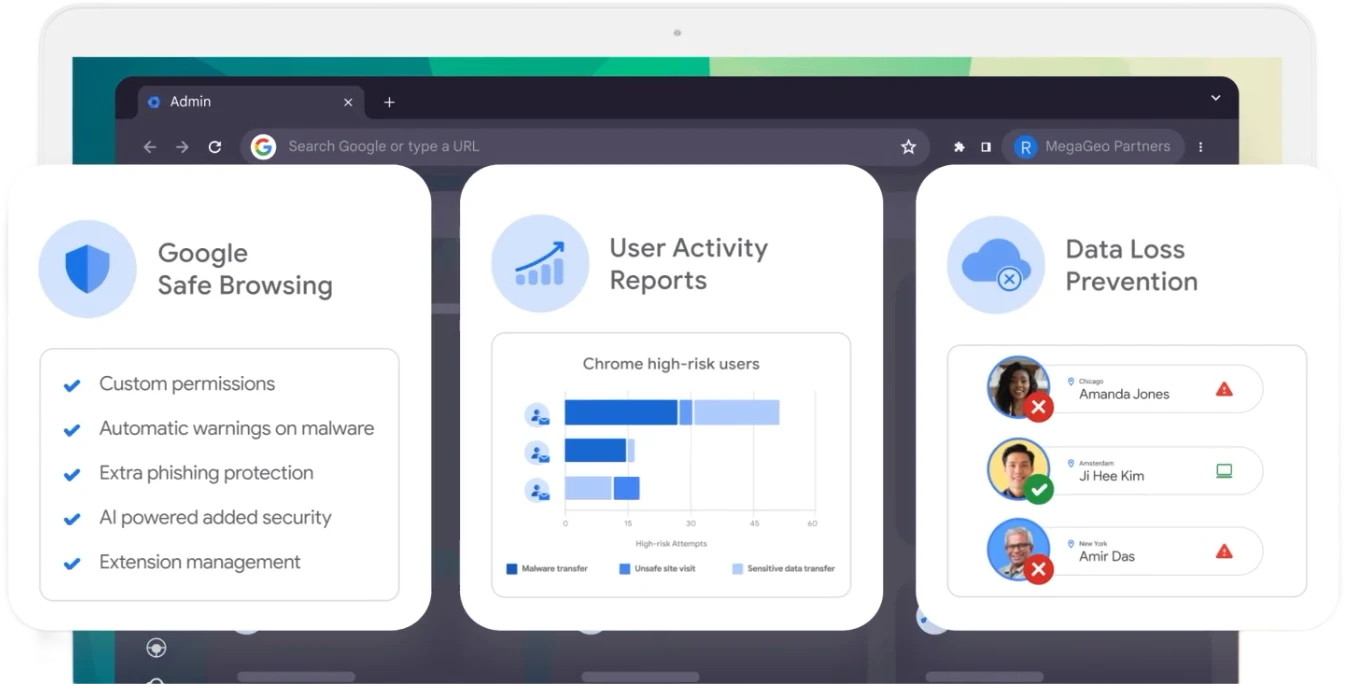
Chrome Enterprise in the Google Admin console: Safe Browsing, user activity reports and data loss prevention
Chrome Enterprise: Safe Browsing, activity reports and data loss prevention
Google ChromeOS Cloud-first devices

Fast, secure devices that manage themselves

ChromeOS devices boot in seconds, update in the background and keep data off the device. ChromeOS Enterprise Upgrade unlocks the business controls IT needs.

  • Zero-touch enrollment. Devices ship straight to employees and enroll on first sign-in.
  • Lost or stolen? Disable or wipe a device remotely, and keep it enrolled even after a reset.
  • ChromeOS Flex. Give existing PCs and Macs a modern, cloud-managed OS and a longer life.
  • Kiosk and shared devices. Managed guest sessions that clear data at sign-out.

What we doWe assess which teams and apps are ready, run a pilot with real users, then handle enrollment, policies and a phased rollout.
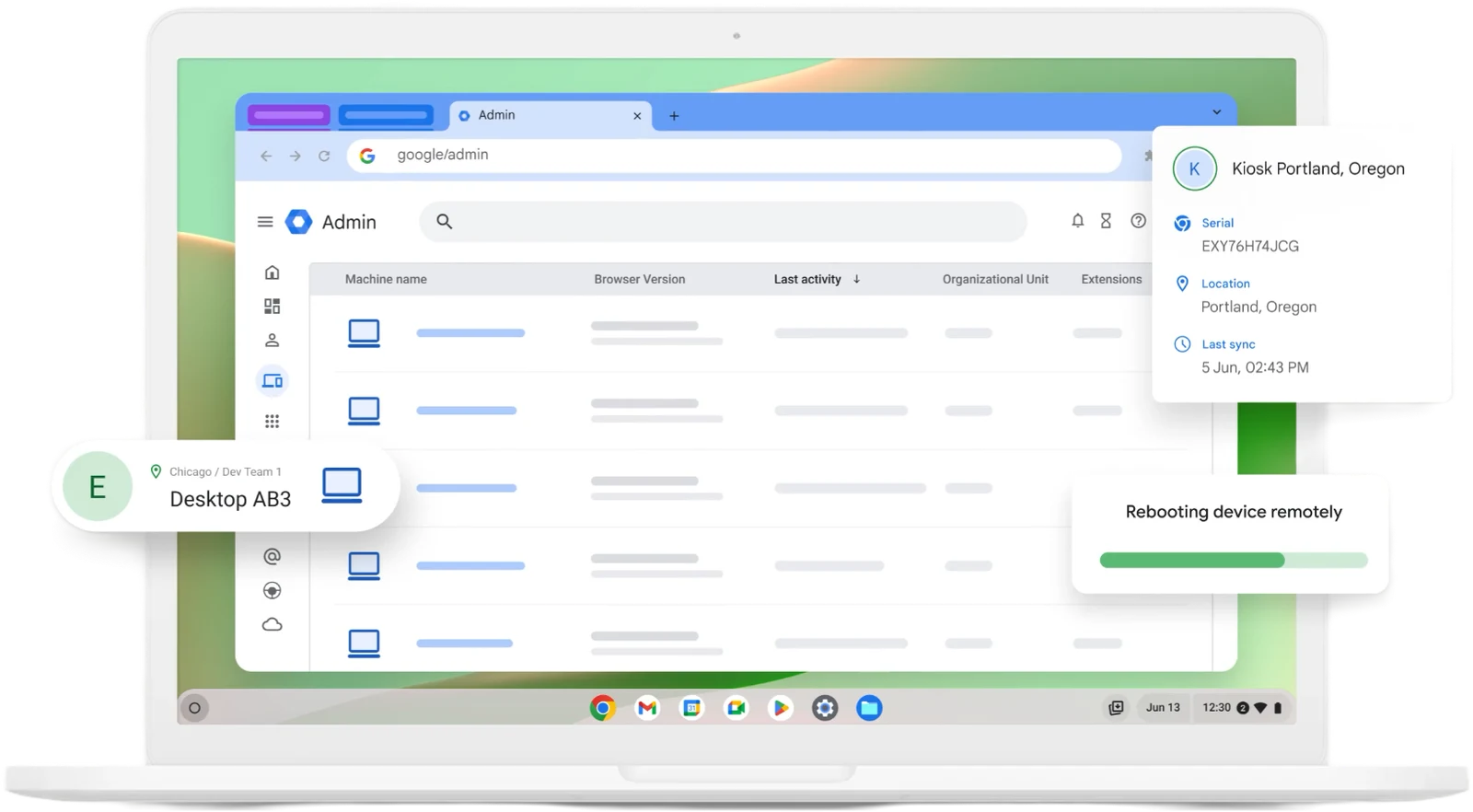
Managing ChromeOS devices in the Google Admin console
ChromeOS devices in the Google Admin console
Virtual app delivery

Cameyo by Google

Keep the Windows and Linux apps your teams depend on, without the weight of full virtual desktops. Cameyo delivers them inside the browser, or as installable web apps, on any device.

  • No full VDI. Deliver individual apps, not whole desktops to maintain.
  • Works on any device. ChromeOS, Windows, macOS or a contractor’s own laptop.
  • Zero trust by default. No VPN, with access tied to your identity provider.
  • A cleaner path to ChromeOS. Legacy apps stop being the reason you can’t move.

What we doWe inventory your legacy apps, package and secure them with Cameyo, and pilot them with the people who use them every day.
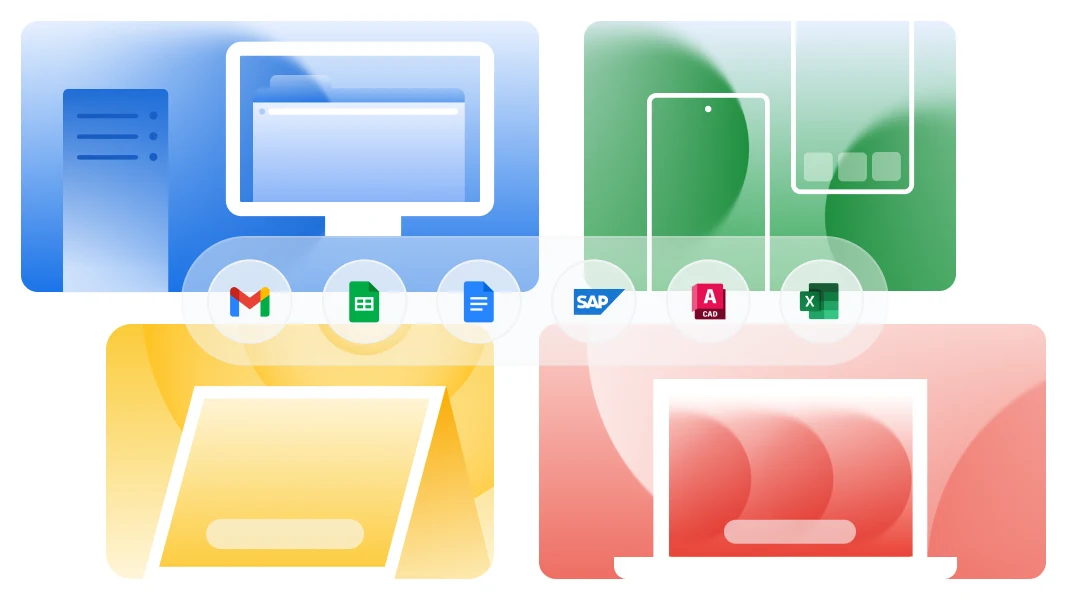
Cameyo by Google delivering apps to any device
The same apps on every device, delivered through the browser
Find your starting point

What are you trying to solve?

Pick the closest match. We’ll show where we’d start, and pass your choice to our team so your first call starts in the right place.

Chrome Enterprise Premium

Protect company data on devices you don’t own.

Context-aware access and browser-level data protection let contractors and personal devices work safely, without VDI or an agent on the device.

Chrome Enterprise PremiumContext-aware access
  • Access rules by user, device and location
  • Block download, upload, print and copy for sensitive apps
  • Watermarking and screenshot protection
Talk to us about this →
How we deliver

Prove it with a pilot. Then roll out with confidence.

1

Assess

We review your devices, browsers, apps and current policies, and agree what success looks like for your teams.

2

Build the foundation

A secure baseline in the Google Admin console, with legacy group policies migrated to cloud policies.

3

Pilot

A real group of users works on the new setup, and we tune policies and workflows based on their feedback.

4

Roll out and manage

A phased rollout with playbooks for your team, and ongoing management if you want us to stay on.

You keepSecurity baselinePolicy migration mapDeployment playbookRollout roadmap

Ask about Google partner funding. Eligible organizations may qualify for Google programs that help fund pilot services. We’ll check during your discovery call.

Better together

Built for Google Workspace and Gemini.

Extend Workspace security to the whole web

Chrome policies sit in the same Google Admin console as Workspace, so the protections you trust in Gmail and Drive can follow your people to every SaaS app and website.

  • One admin console
  • Data protection
  • Context-aware access
Google Workspace Security Assessment →
Gemini

Give people AI they can use safely

See which AI tools your teams already use, keep sensitive data out of the ones you haven’t approved, and guide everyone to Gemini.

  • Shadow AI visibility
  • Prompt and paste controls
  • Redirect to Gemini
Gemini Services →
FAQ

Questions, answered.

What’s the difference between ChromeOS and Chrome Enterprise?

ChromeOS is the operating system on Chromebooks and other ChromeOS devices; you manage it with ChromeOS Enterprise Upgrade. Chrome Enterprise is the managed Chrome browser, and it runs on Windows, macOS, Linux and ChromeOS.

Do we need ChromeOS devices to use Chrome Enterprise Premium or Cameyo?

No. Both work with the devices you already have. ChromeOS strengthens a browser-first setup, but it isn’t required to start.

What does Chrome Enterprise Premium add to Chrome Enterprise Core?

Core gives IT central control of the browser: policies, updates, extensions and reporting. Premium adds data loss prevention, context-aware access, real-time malware and phishing scanning, and visibility into AI tool use.

Does Chrome Enterprise work with Google Workspace?

Yes. Browser policies live in the same Google Admin console as Workspace, so the protections you set for Workspace can extend to the other SaaS apps, websites and AI tools your people use.

Can we run our legacy Windows apps?

Yes. Cameyo by Google delivers Windows and Linux apps in the browser, so you can keep them without maintaining full virtual desktops.

Can we buy ChromeOS devices and licenses through Premier Cloud?

Yes. We supply ChromeOS devices, ChromeOS Enterprise Upgrade and Chrome Enterprise licenses, and set them up for your team. Get in touch and we’ll scope what you need.

Book a Chrome discovery call

Tell us about your devices, browsers and apps. On a short call we’ll map the right starting point and whether Google partner funding could apply.

Take your cloud journey to the next level

Premier Cloud is a proud Google Partner
Tier gcp services premier
Tier gws cosell and service premier
Tier gcp cosell premier

Follow our Blog

|

© 2026 Premier Cloud Inc. All Rights Reserved.

We use cookies to deliver services and analyze traffic.